Simple · Ad-free · Capable

One calendar.
A clearer day.

A clean, ad-free calendar that keeps plans in focus.Follow local holidays and school breaks in parts of China.

Android · iPhone · iPad · Mac

iPhone Air · Shown in Chinese.

Everyday essentials

Plan clearly. Find the details when you need them.

More to discover in every day.

Explore calendar traditions, the changing sky and the stories behind holidays.

Sun & Moon

Follow the light through the day.

Choose a place and date, then drag the time slider to preview the Sun, Moon and changing light. Keep the next event in view, or explore the hours ahead.
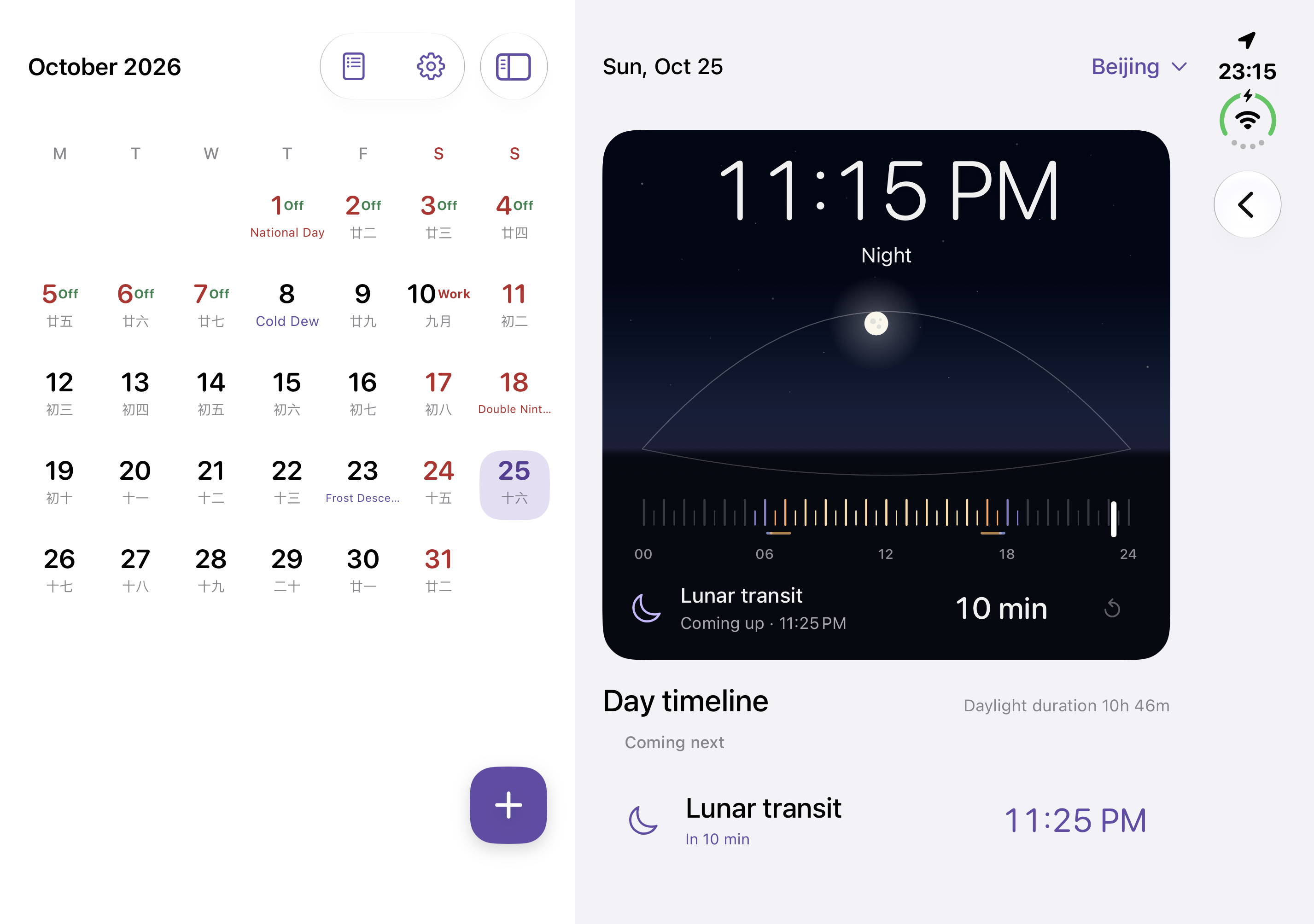
The month beside Sun & Moon details, with the time slider, next-event countdown and day timeline.
Sun & Moon
Know what comes next
A full-day timeline brings together sunrise, sunset, twilight, moonrise, moonset, and golden and blue light. A countdown keeps the next event close.
See how the day takes shape
Explore Sun and Moon positions, full-day altitude curves, the Moon’s phase, illuminated fraction and distance.
A different place, a different sky
Use your current location, or search for a city or natural place. Events follow the date and local time of the place you choose.

Astronomical times are estimates. Terrain and weather affect what you can see.
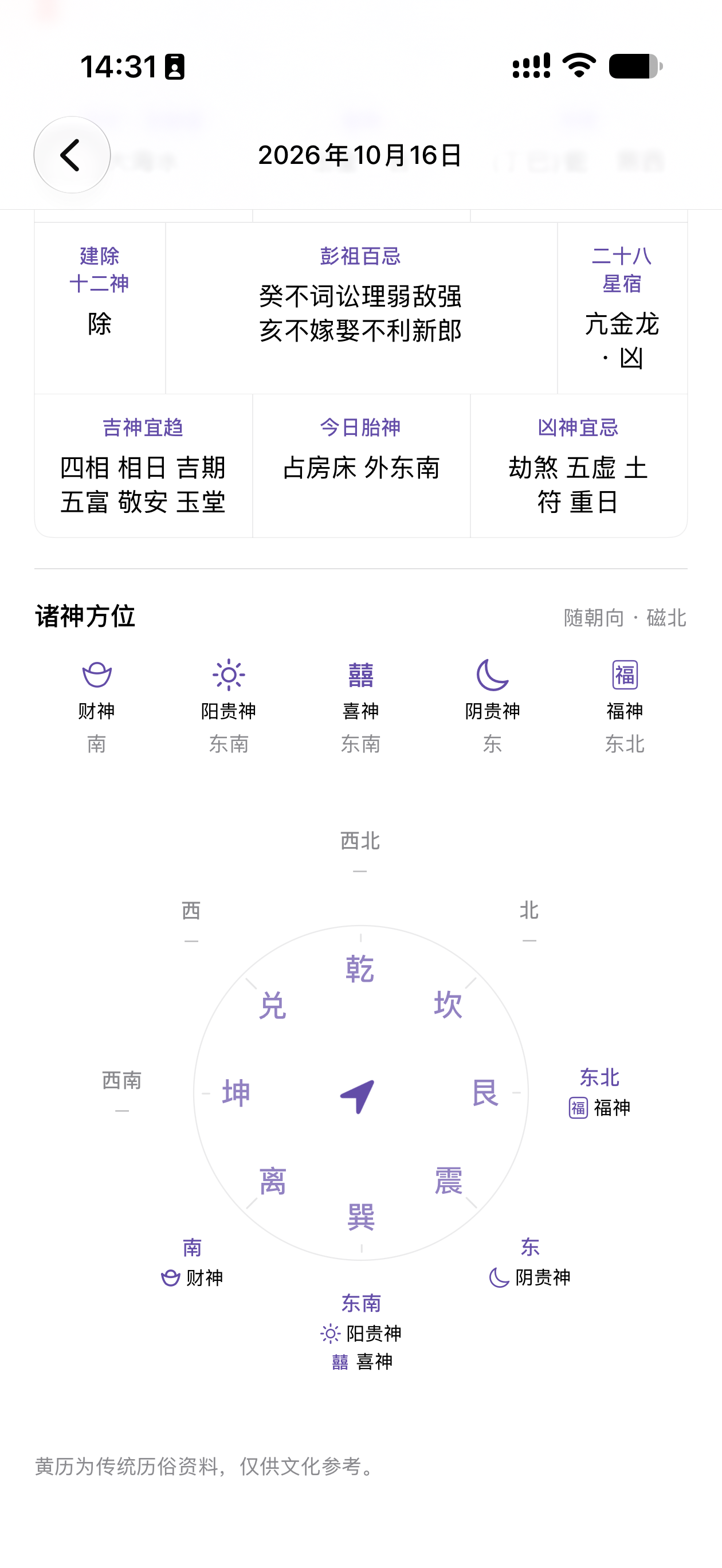
Almanac

From the day to the hour.

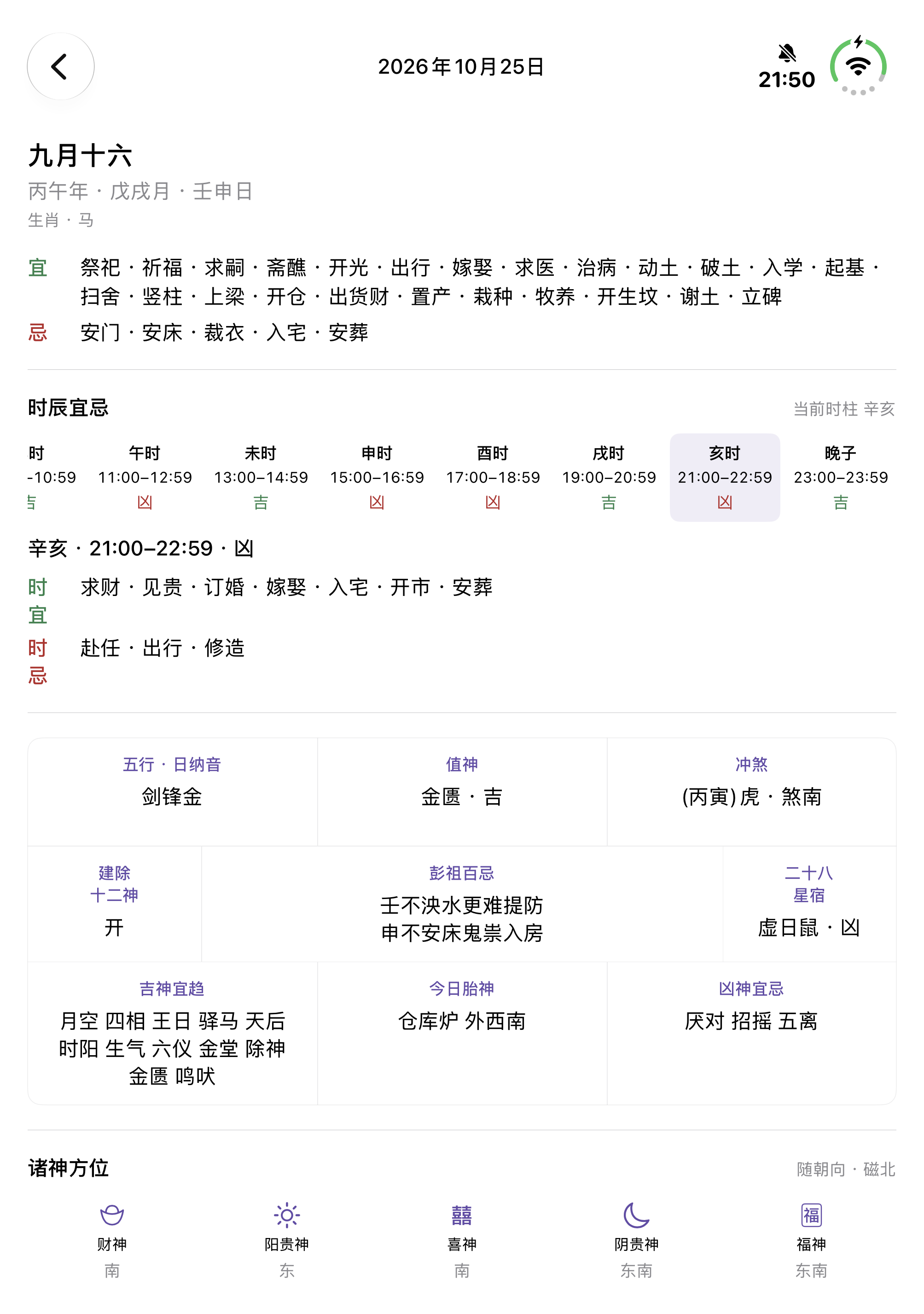
Read the lunar date, traditional calendar details and the day’s recommendations in one place. Grouped notes and directions make it easier to find what you came for.

Read the day’s recommendations
Suitable and Avoid entries appear separately, ready to browse when you need them.
Choose a time period and look closer
Select a time period to see its own recommendations, alongside the entries for the day.
Explore deity directions with a compass
When the compass is available, follow your phone’s heading to explore deity directions. When unavailable, the dial keeps north at the top.

Traditional calendar customs, presented for cultural reference.

Zodiac readings

A fresh perspective for each period.

Choose a sign and explore daily, weekly or monthly readings. Switch between Overall, Love, Career and Wealth to focus on what interests you.

An Overall daily zodiac reading with Day, Week and Month controls, four areas and explanations of sky events. Chinese interface.
Zodiac readings · Shown in Chinese.
Find the focus for your chosen period
Daily readings focus on the selected day. Weekly and monthly readings bring together the themes and changes across their own periods.
Understand the guidance
Read about the sky events behind a suggestion, then explore key dates for more context.
Share the part that matters to you
Switch areas and share the reading for your current selection.

Cultural readings for reflection and enjoyment.

Holidays & observances

The dates, and the stories they carry.

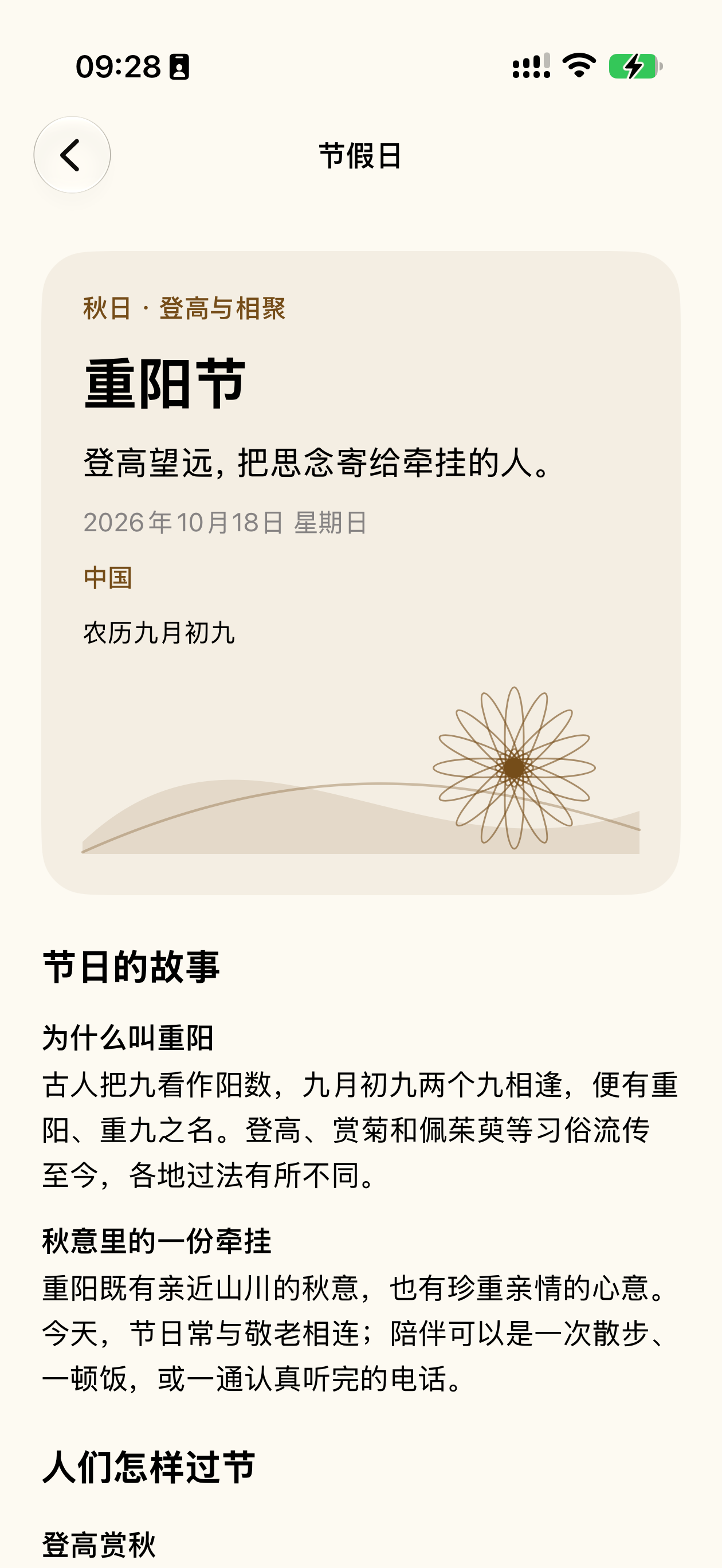
See holidays and adjusted workdays by region. Explore the stories and customs of selected holidays and observances, and how they connect with life today.

Chongyang Festival · Shown in Chinese.
Plan across regions
See holidays and adjusted workdays for the regions you choose, alongside the rest of your calendar.
Meet the stories and customs
Read the origins and traditions of selected holidays and observances, with poetry and artwork where available.
A connection with today
Find ideas for the day, then follow the sources and further reading to explore more.
01 / 04

Clear from the first glance

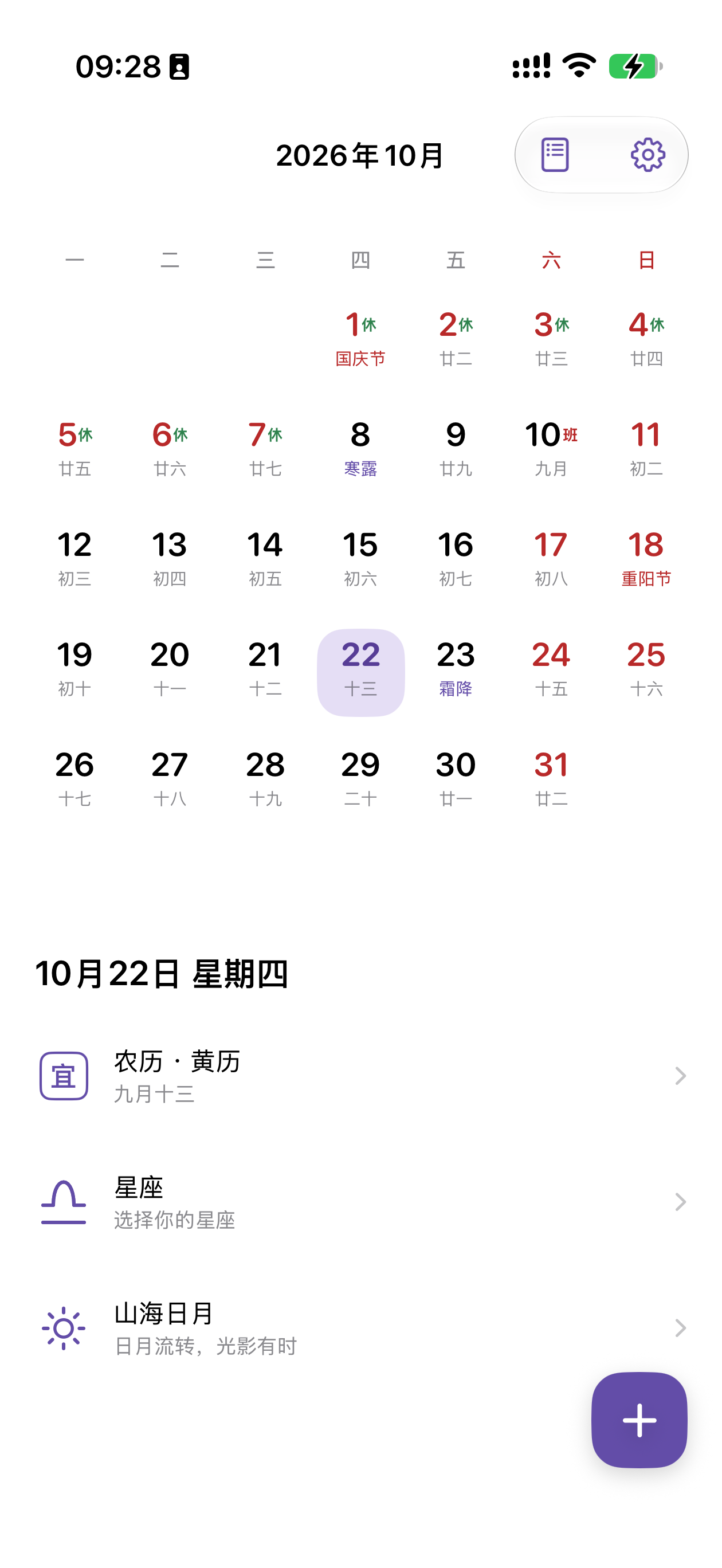
Move between month, week, and day views. No ads compete with your plans.

iPhone Air · Shown in Chinese.
02 / 04

Holidays and date details together

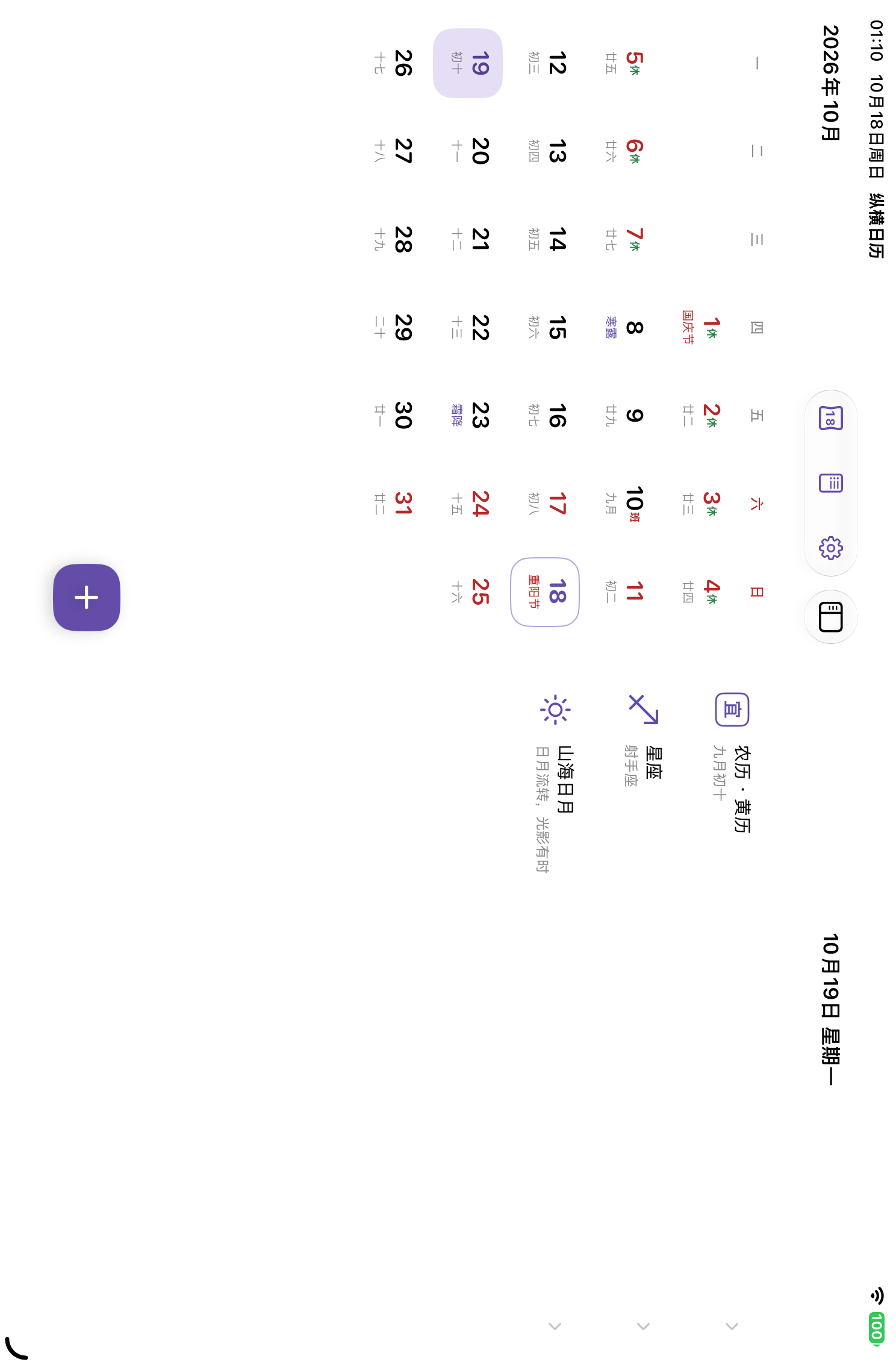
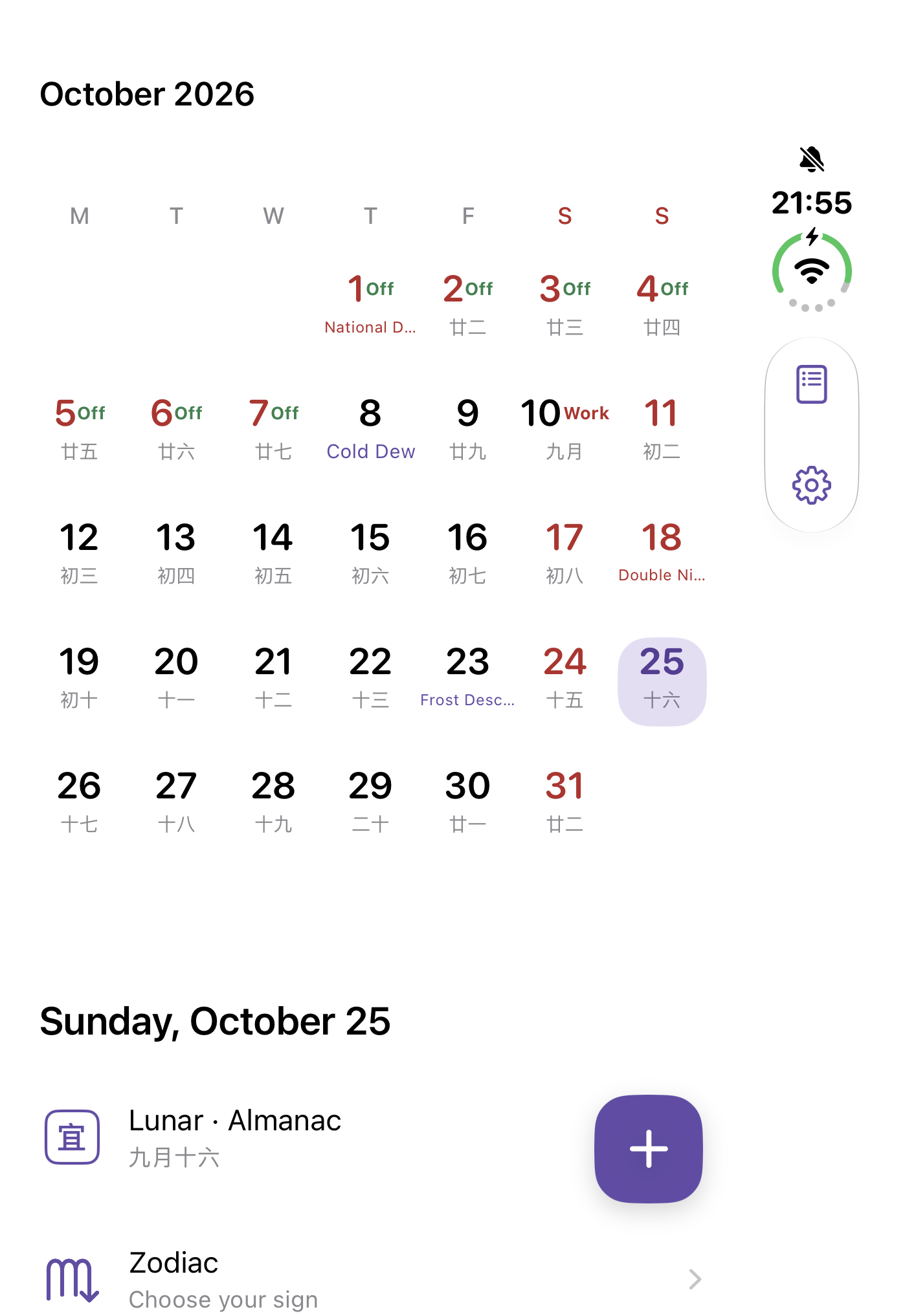
Select among 246 countries and regions for local holidays. Lunar dates, solar terms, and the almanac follow each date, with calendar details together in one place. Shown on iPad mini in landscape.

iPad mini in landscape with the month beside the selected day’s details, including Lunar · Almanac, Zodiac and Sun & Moon. Chinese interface.
iPad mini · Shown in Chinese.
03 / 04

Keep using your calendars

Connect device calendars, CalDAV, and ICS feeds as needed. Self-hosted Exchange EWS is supported too.

04 / 04Folded and unfolded

The month stays in view

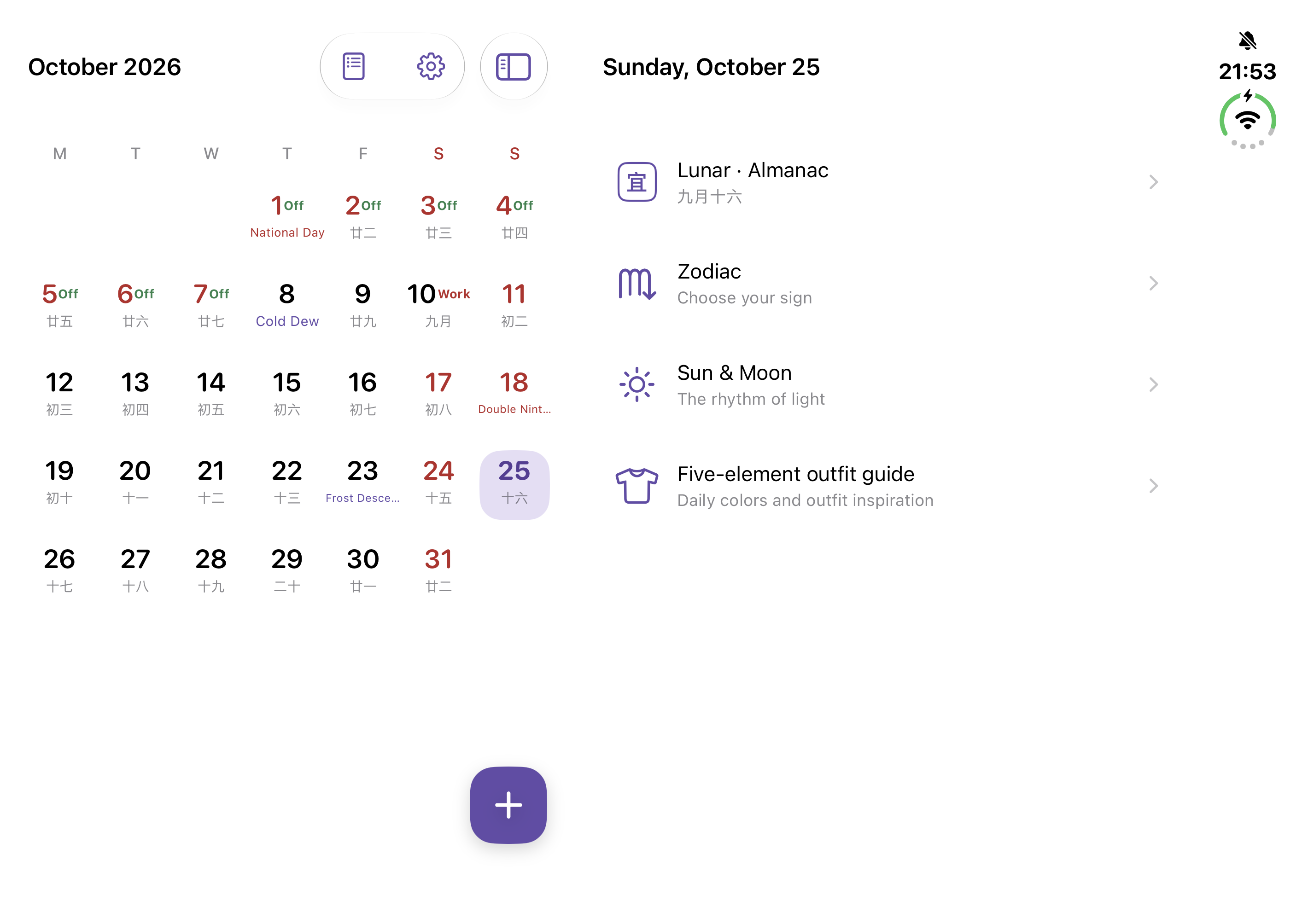
In landscape, the unfolded display shows the month beside the selected day’s details, which update as you change dates.

See today and your selected date at a glance. Switch between Light and Dark to keep your plans in view.

UnfoldFold

Get Calendar

Choose your screen.

Download the Android app, or get the iPhone, iPad, and Mac app from the App Store.

Android 0.9.12 · What’s new

Verify the Android package
SHA-256df253ad2e67d36665847aae65621cbe005550a1158702c3f42df0860fa19821c

Use this checksum to verify the file after downloading. The site does not count downloads or infer installations.

Privacy and choice

Your calendar, your choice.

You can keep plans on your device without an account. You choose whether to connect device or remote calendars and allow location access. The app doesn’t send feature usage statistics to the developer.